3D Visualization
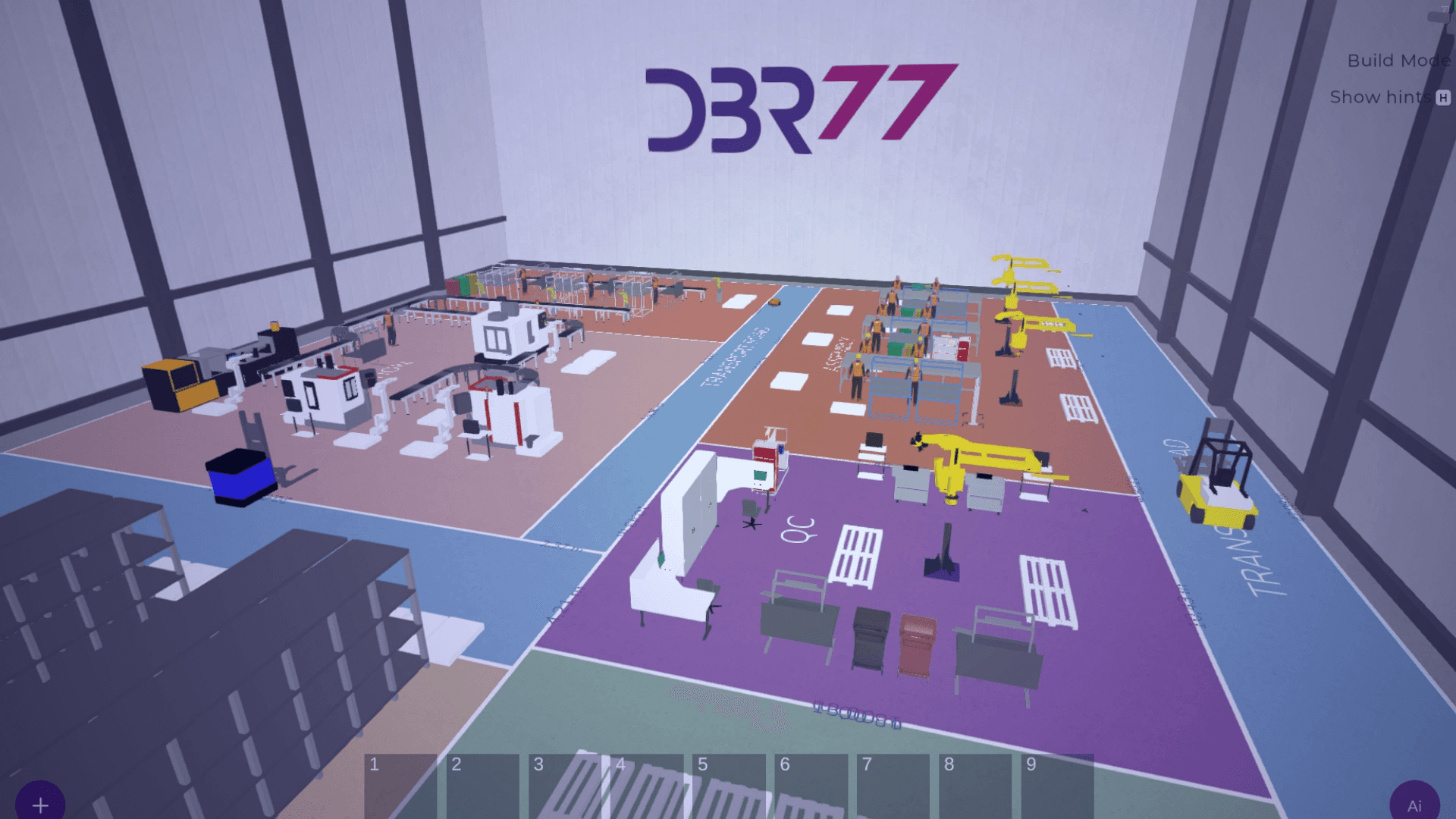
Turn layouts, assets, and constraints into a shared 3D language—validated at 1:1 scale on PC, VR, or AR.
When to use
Best-fit scenarios
A practical set of situations where this capability creates the fastest value.
Greenfield: design a new facility or a major expansion.
Brownfield: validate a layout change without disrupting operations.
Executive alignment: review investments in 3D rather than static drawings.
Deliverables
What you get
Concrete outputs you can use for workshops, decisions, and implementation.
What you get
- A 3D representation of spaces, zones, and assets.
- Scene-based navigation with consistent naming and structure.
- VR/AR-ready views for 1:1 spatial validation.
How it works
From model to decision
A repeatable flow that scales from early design to high-variability operations.
Model the environment
Create a digital representation of the facility and key objects.
Validate constraints
Check access, safety zones, clearances, and scale before any build.
Align stakeholders
Use a shared visual truth to speed up decisions across teams.
Next step
See this capability on your process.
Book a demo to map your environment, compare scenario variants, and define an actionable rollout path (manual → historical → live data).